Best AI Tools to Remove Background Noise from Audio and Video Recordings
We tested seven AI audio cleanup tools on three real noisy recordings—AC + fan hum, AC-only indoor noise, and an outdoor balcony clip with birds, wind, and vehicles—to find which removes background noise best without making the speaker sound unnatural.
Most balanced overall performer in the benchmark.
#2 CapCut· #3 Adobe Podcast Enhance· #4 Cleanvoice· #5 Auphonic· #6 Audo Studio· #7 Premiere Pro
The ranking
Scores are the average across every check we scored for that tool. Not every tool was scored on every check — the count is shown.
| Tool | Score | Price | Where it lands | ||
|---|---|---|---|---|---|
| #1 | Elevenlabs -Voice Isolator | Best | 4.5/5 6 checks | Free · $6/month | Strong voice preservation with solid cleanup, but conservative on tougher transient noises. |
| #2 | CapCut | Usable | 3.8/5 6 checks | Free · $9.99/month | Strong on quick cleanup of steady background noise, weaker on transient/outdoor sounds and voice naturalness. |
| #3 | Adobe Podcast Enhance | Usable | 3.8/5 6 checks | Free · $9.99 / month | Best-in-class noise removal, but it noticeably sacrifices voice naturalness. |
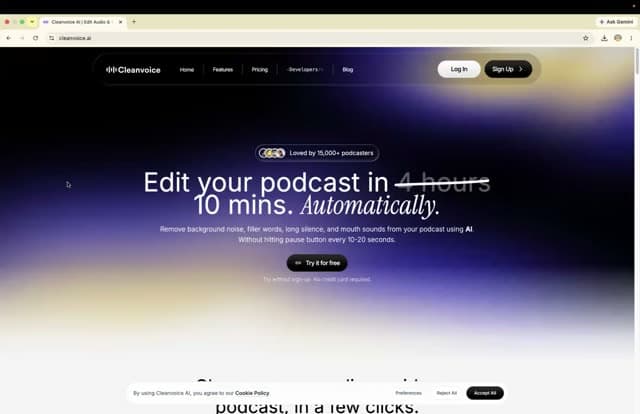
| #4 | Cleanvoice | Usable | 3.8/5 6 checks | Free · $30/month | Strong continuous-noise remover, but noticeably alters the speaker’s natural voice |
| #5 | Auphonic | Usable | 3.6/5 6 checks | Free · Monthly: $13/month Yearly: $11/month | Strong noise reduction, but noticeably weak voice preservation |
| #6 | Audo Studio | Usable | 3.5/5 6 checks | Free · $12/month | Strong natural-voice preservation with moderate noise reduction, especially on steady background noise |
| #7 | Premiere Pro | Needs work | 3.0/5 6 checks | Free · ₹733.96/month | Fast speech enhancer with strong echo/reverb removal, but only moderate noise suppression and noticeable voice coloration. |
What we checked
Every finding below is tied to one of these checks, and to the test that produced it. The number is how many of the 7 tools we recorded findings for.
What we tried
The same 2 tests wererun on every tool. Pick one to see its input and every tool's output.
Strong voice preservation with solid cleanup, but conservative on tougher transient noises.
▸Batch ProcessingCapability check4/52 worked well2 findings
Batch processing is available for paid users, but free-tier users are limited to one file at a time.
This is a capability we checked per tool — whether (and how well) it supports this — so it shows a support verdict and what we found, rather than media or an input→output pair.
Paid subscriptions can process multiple audio files in a single operation, while free-tier users are limited to one file at a time.
The paid subscription supports uploading and processing multiple audio files in a single operation, while free-tier users are limited to one file at a time.
▸Handling Different Noise Types4/52 worked well4 mixed6 findings
Handled steady AC/fan and outdoor ambience strongly, but was weaker on short-duration and irregular noises.
The tool handled steady mechanical noise better than irregular artifacts: it worked well on fan and AC hum, but short-duration microphone interference and sudden hiss-like sound artifacts were less effectively removed.
The tool handled continuous noise reasonably well, including AC hum and breathing, but it struggled with short-duration or irregular noise, which remained audible in the final output.
▸Input Format SupportCapability check5/52 worked well2 findings
Supports common formats like WAV, MP3, FLAC, and AAC, giving it broad compatibility.
This is a capability we checked per tool — whether (and how well) it supports this — so it shows a support verdict and what we found, rather than media or an input→output pair.
The tool supports multiple common audio formats, including WAV, MP3, FLAC, and AAC, which makes it compatible with common recording and editing workflows without format conversion.
Supports at least four common audio formats—WAV, MP3, FLAC, and AAC—without requiring format conversion.
▸Noise Removal Effectiveness4/52 worked well5 mixed7 findings
Reduced background noise well in all tests, but did not fully remove hiss, mic noise, or other short transient artifacts.
Overall, the tool delivers moderate noise removal: it improves speech clarity and reduces common background noise, but short transients and microphone artifacts can remain audible.
Reduces AC hum and breathing noise, but does not fully remove a noticeable noise event around 0.7–0.8 seconds.
▸Processing SpeedCapability check5/52 worked well2 findings
Processing was completed quickly, around 20–30 seconds, with no notable delays.
This is a capability we checked per tool — whether (and how well) it supports this — so it shows a support verdict and what we found, rather than media or an input→output pair.
Processes audio quickly; one measured run completed in approximately 20–30 seconds, and the other tests were also described as quick.
The tool completes audio enhancement quickly, with the report stating a typical processing time of approximately 20–30 seconds and no long waiting time.
▸Voice Preservation5/57 worked well7 findings
Kept the speaker's voice natural and clear with no noticeable robotic effects, pitch shifts, or distortion.
Overall, the tool preserves the speaker’s natural voice very well, with no significant robotic artifacts or pitch change reported across the tests.
Maintains a natural, clear vocal tone after enhancement, with no noticeable distortion or robotic artifacts.
Strong on quick cleanup of steady background noise, weaker on transient/outdoor sounds and voice naturalness.
▸Batch ProcessingCapability check3/52 mixed2 findings
Multiple files can be imported, but noise reduction is generally applied per clip rather than as true batch processing.
This is a capability we checked per tool — whether (and how well) it supports this — so it shows a support verdict and what we found, rather than media or an input→output pair.
Can import multiple media files into a project, but background-noise removal is generally applied per clip rather than as a true batch operation.
CapCut can import multiple media files into a project, but background-noise removal is generally applied per clip rather than as a true multi-file batch operation.
▸Handling Different Noise Types3.75/52 mixed1 struggled3 findings
Handled steady background noise well, but struggled more with short transients and environmental sounds like bird chirping.
Performs better on steady continuous noise than on short transients or environmental sounds, which are less consistently suppressed.

On a recording with multiple simultaneous mechanical noises, CapCut handles steady AC/fan/background noise well, but it does not fully handle brief transient sounds: a click/noise at 0:03 and noise at 0:11–0:12 remain, and bird chirping at 0:13–0:16 is only partially reduced.

▸Input Format SupportCapability check4.5/52 worked well2 findings
Supports common audio/video formats such as MP4, MOV, AVI, MP3, and WAV, and worked on the provided media.
This is a capability we checked per tool — whether (and how well) it supports this — so it shows a support verdict and what we found, rather than media or an input→output pair.
CapCut supports common audio and video formats including MP4, MOV, AVI, MP3, and WAV, and the feature worked correctly on the provided media.
Supports common video and audio formats such as MP4, MOV, AVI, MP3, and WAV, and the feature worked on the provided media.
▸Noise Removal Effectiveness3.75/52 worked well2 struggled4 findings
Removed most continuous AC/fan/air noise well, but transient clicks and some bird noise remained.
Across the benchmark, CapCut scores 7.5/10 for noise removal: it removes most steady background noise, but short transient noises and some bird chirping are not fully eliminated.
Leaves short transient noises audible, including sounds around 0:03 and 0:11–0:12, so the reduction is incomplete on sudden noise events.
▸Processing SpeedCapability check4.5/52 worked well2 findings
Applied noise reduction quickly with minimal waiting time.
This is a capability we checked per tool — whether (and how well) it supports this — so it shows a support verdict and what we found, rather than media or an input→output pair.
Applies noise reduction quickly with minimal waiting time, making it suitable for short-video editing workflows.
Noise reduction is applied quickly with minimal waiting time, making it suitable for short videos and routine content-creation workflows.
▸Voice Preservation3.5/52 mixed2 findings
Speech stayed clear and intelligible, but the output had a slightly processed/AI-enhanced timbre.
Keeps speech clear and intelligible, but slightly alters the original vocal timbre and adds a more processed, AI-enhanced character.
Across the benchmark, CapCut scores 7.0/10 for voice preservation: speech stays clear and intelligible, but the output slightly changes the original vocal timbre and sounds more processed/AI-enhanced.
Best-in-class noise removal, but it noticeably sacrifices voice naturalness.
▸Batch ProcessingCapability check2/52 failed2 findings
Free version only processes one file at a time; batch uploads require a paid subscription.
This is a capability we checked per tool — whether (and how well) it supports this — so it shows a support verdict and what we found, rather than media or an input→output pair.
The free version processes only one file at a time; batch uploads require a paid subscription.
The free version allows only one file at a time, and batch uploads require a paid subscription.
▸Handling Different Noise Types4.5/56 worked well6 findings
Handled continuous AC/fan noise and outdoor environmental noise well, but transient edge cases were not fully tested.
Handles continuous background noise such as AC hum and fan-like noise, but the report says more testing is needed for keyboard clicks, traffic noise, and people talking.
Handles continuous environmental noise well when multiple mechanical sources are present at once, such as AC noise and fan noise.
▸Input Format SupportCapability check5/52 worked well2 findings
Supports WAV, MP3, FLAC, and AAC, giving broad workflow compatibility.
This is a capability we checked per tool — whether (and how well) it supports this — so it shows a support verdict and what we found, rather than media or an input→output pair.
Supports WAV, MP3, FLAC, and AAC input, giving the tool compatibility with four common audio formats.
Accepts multiple common audio formats, including WAV, MP3, FLAC, and AAC.
▸Noise Removal Effectiveness5/57 worked well7 findings
Removed constant background noise very effectively across all three tests, leaving much cleaner audio.
Across the benchmark, noise-removal performance was rated 9.2/10, indicating very strong suppression of unwanted background sound.
Removes simultaneous mechanical background noise effectively, including AC hum, fan noise, breathing, and a brief unwanted sound around 0:24–0:25, leaving the output significantly cleaner than the source.
▸Processing SpeedCapability check3.5/52 worked well1 mixed3 findings
Took about 1–2 minutes per file, which was acceptable but not especially fast.
This is a capability we checked per tool — whether (and how well) it supports this — so it shows a support verdict and what we found, rather than media or an input→output pair.
Processes uploaded audio in about 1–2 minutes per file; the report observed that range on both a 3-minute clip and a 2.27-minute clip.
Generated enhanced output in approximately 1–2 minutes for a 3-minute audio file.
▸Voice Preservation2.5/57 struggled7 findings
Speech stayed intelligible, but the voice tone and character were noticeably altered and sounded processed.
Across the benchmark, voice-preservation performance was rated 4.7/10, reflecting consistent alteration of the speaker’s natural tone.
The enhancement noticeably changed the original voice tone; speech stayed clear, but the result sounded processed and less natural than the source recording.
Strong continuous-noise remover, but noticeably alters the speaker’s natural voice
▸Batch ProcessingCapability check4.5/52 worked well2 findings
Supports uploading and processing multiple files at once, with batch output options available.
This is a capability we checked per tool — whether (and how well) it supports this — so it shows a support verdict and what we found, rather than media or an input→output pair.
It can upload and process multiple files at once and offers batch output options for those jobs.
Can upload and process multiple audio files at once and provide separate outputs for each file, which supports multi-file workflows.
▸Handling Different Noise Types4/52 worked well3 mixed5 findings
Handled continuous AC and outdoor environmental noise well, but struggled more with transient sounds like chair movement.
Handles continuous background noise well but is less consistent on transient sounds; the report rates consistency across tests at 8.2/10 and notes chair movement as a weakness.
It handled steady environmental noise and bird sounds well, but performance dropped on transient chair movement noise, so results varied by noise type.
▸Input Format SupportCapability check4.5/52 worked well2 findings
Reported support for multiple common formats including WAV, MP3, FLAC, and AAC.
This is a capability we checked per tool — whether (and how well) it supports this — so it shows a support verdict and what we found, rather than media or an input→output pair.
The tool reports support for WAV, MP3, FLAC, and AAC, giving it compatibility with common audio workflows.
Accepts several common audio formats, including WAV, MP3, FLAC, and AAC, indicating broad compatibility across creator workflows.
▸Noise Removal Effectiveness4/56 worked well2 mixed8 findings
Removed AC, fan, breathing, mic, and outdoor ambience very well, but missed some transient chair noise.
Across the benchmark, noise removal was rated 8.5/10, and the tool consistently stripped most continuous background noise.
Achieves strong overall noise suppression, with the report rating noise removal at 8.5/10 across the three tests.
▸Processing SpeedCapability check3.5/51 worked well4 mixed5 findings
Single-file processing was reasonably fast, but throughput slowed noticeably when multiple files were uploaded.
This is a capability we checked per tool — whether (and how well) it supports this — so it shows a support verdict and what we found, rather than media or an input→output pair.
Single-file processing is described as reasonably fast, but multi-file uploads increase processing time noticeably.
Processes a single file at a reasonable pace, but the workflow slows noticeably when three files are uploaded together.
▸Voice Preservation2/51 mixed7 struggled8 findings
Speech stayed clear, but the speaker’s tone and character changed noticeably and sometimes sounded robotic.
Preserves the speaker's natural tone poorly overall; the report rates voice preservation at 4.3/10 and says the output often sounds artificial or robotic.
Across the benchmark, voice preservation was rated 4.3/10; speech stayed understandable, but the speaker's tone and character changed noticeably.
Strong noise reduction, but noticeably weak voice preservation
▸Batch ProcessingCapability check1/52 failed2 findings
No batch processing support; only one audio file can be uploaded and processed at a time.
This is a capability we checked per tool — whether (and how well) it supports this — so it shows a support verdict and what we found, rather than media or an input→output pair.
Does not support simultaneous multi-file processing; only one audio file can be uploaded and processed at a time.
The tool does not support simultaneous multi-file processing: only one audio file can be uploaded and processed at a time.
▸Handling Different Noise Types4/52 worked well4 mixed6 findings
Handled continuous indoor noise and some environmental noise well, but struggled more with transient noises like chair movement.
Handled continuous noise like AC hum and breathing reasonably well, but did not remove all background noise artifacts consistently throughout the recording.
Handles multiple indoor noise types in one pass, including continuous mechanical noise, background hiss, breathing noise, and short microphone disturbances.
▸Input Format SupportCapability check5/52 worked well2 findings
Supports a wide range of common audio formats including MP3, FLAC, AAC, and WAV.
This is a capability we checked per tool — whether (and how well) it supports this — so it shows a support verdict and what we found, rather than media or an input→output pair.
The platform supports common audio inputs including MP3, FLAC, AAC, and WAV, plus other widely used audio file types, so it is broadly compatible with typical recording workflows.
Supports a broad set of common audio formats, including MP3, FLAC, AAC, and WAV, which makes it compatible with varied recording workflows.
▸Noise Removal Effectiveness4/53 worked well4 mixed7 findings
Removed most common background noises very well, but some residual artifacts and transient sounds remained in later tests.
Overall benchmark rated the tool's noise reduction at 8.0/10, indicating strong removal of common unwanted sounds such as AC hum, fan noise, breathing, hiss, air noise, and some environmental noise across the test set.
Removes outdoor air/background noise and bird chirping effectively, but fails to remove chair movement noise at the beginning of the recording.
▸Processing SpeedCapability check5/52 worked well2 findings
Enhanced previews were generated quickly after upload, making the workflow fast and efficient.
This is a capability we checked per tool — whether (and how well) it supports this — so it shows a support verdict and what we found, rather than media or an input→output pair.
Generates the enhanced audio preview quickly after upload, making the workflow suitable for rapid cleanup and testing.
The enhanced audio preview was generated quickly after upload in the tests, indicating a fast turnaround suitable for rapid cleanup and evaluation workflows.
▸Voice Preservation2.5/57 struggled7 findings
Speech stayed intelligible, but the output repeatedly sounded louder, more processed, and slightly robotic.
Overall benchmark rated voice preservation at 4.5/10, showing that the tool keeps speech intelligible but often makes the output louder, slightly robotic, and less natural than the source voice.
Substantially changes the speaker’s voice, making it louder, more robotic, and less natural than the source recording.
Strong natural-voice preservation with moderate noise reduction, especially on steady background noise
▸Batch ProcessingCapability check1/52 failed2 findings
Only one file can be processed at a time; batch processing was not supported.
This is a capability we checked per tool — whether (and how well) it supports this — so it shows a support verdict and what we found, rather than media or an input→output pair.
The tool is single-file only: it does not process multiple audio files simultaneously, so users must upload and run files one at a time.
Only processes one audio file at a time and does not support simultaneous multi-file jobs.
▸Handling Different Noise Types3.5/54 mixed2 struggled6 findings
Worked better on steady AC/fan and ambient outdoor noise than on transient bumps, clicks, chair movement, or hiss.
Performs well on environmental noises such as air noise, bird chirping, and ambient sound, but is less effective on sudden transient noises like chair movement.
The tool performed well on environmental noises such as air noise, bird chirping, and ambient sound, but it was less effective on sudden transient chair-movement noise.
▸Input Format SupportCapability check5/52 worked well2 findings
Reported support for multiple common formats, including WAV, MP3, FLAC, and AAC.
This is a capability we checked per tool — whether (and how well) it supports this — so it shows a support verdict and what we found, rather than media or an input→output pair.
Supports multiple common audio formats, including WAV, MP3, FLAC, and AAC.
The platform accepts at least four common audio formats: WAV, MP3, FLAC, and AAC.
▸Noise Removal Effectiveness3/51 worked well6 mixed7 findings
Reduced background noise noticeably, but never fully cleaned the recording and left hiss, mic noise, and other residue.
Across the benchmark, the tool's noise-removal performance was rated 6.2/10, indicating moderate suppression rather than fully aggressive cleanup.
Partially suppresses AC hum plus some air/breathing noise, but residual noise is still audible around 0.7–0.8 seconds.
▸Processing SpeedCapability check4/54 worked well4 findings
Processing was fairly quick for single files, around 20–60 seconds depending on clip length.
This is a capability we checked per tool — whether (and how well) it supports this — so it shows a support verdict and what we found, rather than media or an input→output pair.
Completes processing in roughly 20 to 40 seconds for a about 2.5 minute audio file.
Processing a roughly 2.5-minute file completed in approximately 20–40 seconds.
▸Voice Preservation4.5/57 worked well7 findings
Kept the speaker's voice natural and clear across tests, without robotic or metallic artifacts.
Across the benchmark, the tool's voice-preservation performance was rated 8.7/10, showing strong retention of natural speaker quality.
Keeps the voice natural and clear while avoiding robotic, metallic, or overly processed artifacts.
Fast speech enhancer with strong echo/reverb removal, but only moderate noise suppression and noticeable voice coloration.
▸Batch ProcessingCapability check1/52 mixed2 findings
Only a single file was evaluated, so batch processing was not tested and remains unverified in this benchmark.
This is a capability we checked per tool — whether (and how well) it supports this — so it shows a support verdict and what we found, rather than media or an input→output pair.
The benchmark evaluated only a single audio/video file, so it did not establish whether the tool can process multiple files simultaneously.
The benchmark evaluated only a single file, so batch-processing capability was not tested or confirmed.
▸Handling Different Noise Types3/52 mixed2 findings
Very effective on echo/reverb, partially effective on continuous background noise, and weak on bird chirps and other non-stationary outdoor sounds.
The tool handled noise types unevenly: it was very effective on echo/reverb, only partially effective on continuous background noise, and weak on non-stationary environmental sounds such as bird chirps.

Performance is strongest on echo/reverb, only partial on continuous background noise, and weak on non-stationary environmental sounds such as bird chirps, showing uneven handling across noise classes.
▸Input Format SupportCapability check4/52 mixed2 findings
The report says Premiere Pro supports many professional and consumer audio/video formats, though compatibility was not independently tested in this benchmark.
This is a capability we checked per tool — whether (and how well) it supports this — so it shows a support verdict and what we found, rather than media or an input→output pair.
The tool is reported to support MP3, WAV, AAC, FLAC, MP4, MOV, AVI, MXF, ProRes, H.264, and H.265, but the benchmark did not independently verify format compatibility.
The report states support for a broad set of professional and consumer formats, including MP3, WAV, AAC, FLAC, MP4, MOV, AVI, MXF, ProRes, H.264, and H.265, but format compatibility was not independently tested in this benchmark.
▸Noise Removal Effectiveness3.5/52 mixed2 findings
Background noise was reduced substantially, but the output was not noise-free and some residual noise remained.
The tool substantially reduced background noise and removed echo largely, but it did not fully clean the audio: residual noise remained at 0.03 s and 0.11–0.12 s, and bird chirping was still audible at 0.13–0.16 s, so the output was improved rather than noise-free.
The tool reduced background noise by about 60–70% and largely removed echo, but it did not fully clean the output: residual noise remained at 0.03 s and 0.11–0.12 s, and bird chirping was still audible at 0.13–0.16 s, so the result was cleaner rather than noise-free.
▸Processing SpeedCapability check4/51 worked well1 finding
Enhancement completed in about 4–5 seconds, which the report describes as fast and suitable for quick editing workflows.
This is a capability we checked per tool — whether (and how well) it supports this — so it shows a support verdict and what we found, rather than media or an input→output pair.
Enhancement processing completed in approximately 4–5 seconds, which is fast enough for quick editing workflows.
▸Voice Preservation2.5/52 struggled2 findings
The processed voice became deeper and more "podcast-like," so it did not closely match the original timbre.
The enhancer noticeably altered the speaker’s timbre, making the voice deeper and more “podcast-like,” so the processed voice no longer closely matched the original vocal character.
The processed voice becomes deeper and more "podcast-like," with noticeable tonal alteration; it does not preserve the original timbre closely enough for faithful voice matching.
Final Take
ElevenLabs Voice Isolator ranks first overall by delivering the best balance across all evaluation criteria, combining excellent voice preservation, strong noise reduction, fast processing, broad format support, and batch processing. CapCut ranks second with fast performance, natural voice quality, and solid everyday noise removal, making it an excellent choice for content creators. Adobe Podcast Enhance remains the strongest tool for aggressive background noise removal but noticeably changes the speaker's original voice and lacks batch support. Cleanvoice offers excellent denoising and batch processing but produces a more processed, less natural voice. Auphonic also provides strong noise reduction but similarly sacrifices voice authenticity. Audo Studio is the best option for preserving natural voice quality, although its noise removal is more conservative and batch processing is limited. Premiere Pro performs well for echo and reverb reduction within editing workflows but offers only moderate overall noise suppression. Overall, ElevenLabs Voice Isolator is the strongest all-round performer, providing the most balanced combination of quality, efficiency, and usability across all six evaluation criteria.
Similar Tools
The tools we tested for this use case — each card opens its full tested review.
Need a custom AI solution for this use case?
If you are looking to build a custom audio noise reduction, voice cleanup, or recording enhancement workflow for your business or internal workflow, email us at contact@futuresmart.ai.
Found something inaccurate or missing? We try to keep our AI research accurate and useful. If you found outdated information, an issue, or have a suggestion, email us at collaborate@aidemos.com.