Best AI Tools to Generate Diagram Animations from Text Descriptions
We tested five tools on shared technical workflow prompts to see which ones could turn plain-English process descriptions into readable animated diagrams with branching, loop-back logic, and usable export.
How We Tested
All five ranked tools were tested by the same researcher in the same environment using the same shared prompts. The comparison focused on whether each tool could convert plain text into an animated diagram with correct stages, readable structure, branching, and exportable output. The baseline scenario tested parallel branching with a RAG ingestion pipeline, the second scenario tested conditional loop-back logic with a human-in-the-loop AI workflow, and a third edge-case prompt tested multi-level conditional branching to find each tool's ceiling.
The Ranking
5 toolstested head-to-head on the same input. Each card shows the verdict and per-criterion scores. Click "Full breakdown" for the artifact-level evidence.
Scores are inferred by AI from the researcher's hands-on observations and ranked by their aggregate.
Best overall for most users because it turns plain text into a downloadable animated MP4 with correct branching and minimal effort.
Best choice when the diagram needs decision diamonds, loop-back arrows, or multi-level conditional logic, but it still requires screen recording instead of direct MP4 export.
Highest visual fidelity of the tested tools, but download credits and failures on loop-back logic make it less practical than EasyMotion or Claude AI.
A solid teaching-oriented Manim option that handles simple flows well enough, but layout, titling, and complex conditional logic still need work.
Convenient if you want Manim-style rendering in the browser, yet weaker hierarchy, inconsistent flow direction, and missing loop-back behavior kept it last.
EasyMotionBest
EasyMotion is a specialized text-to-flowchart animation tool that delivered the strongest end-to-end experience in this test. It was the only ranked option that consistently turned plain text into a downloadable MP4 without code, screen recording, or extra assembly steps.
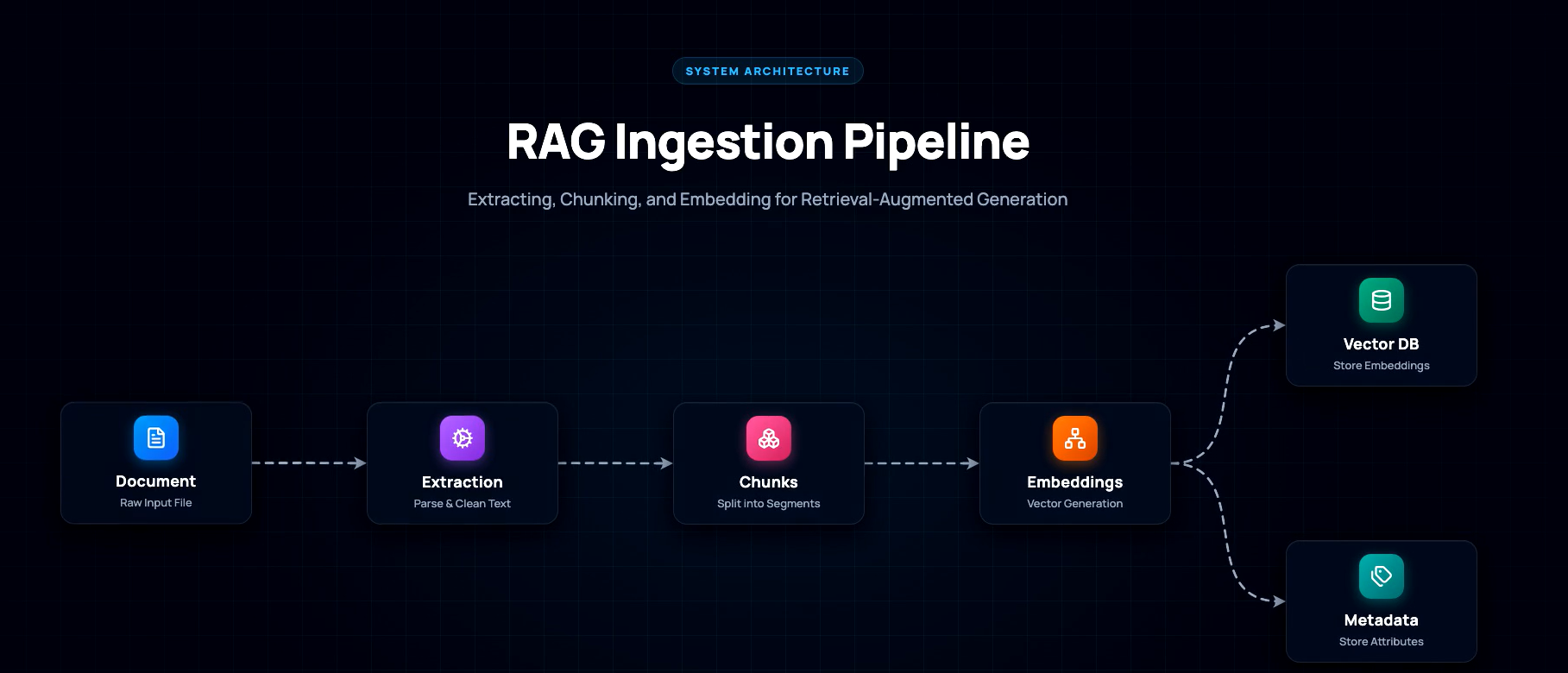
- EasyMotion was the best practical pick when the goal was to paste in plain English and get back a usable animated diagram video fast. In the RAG ingestion test, it included all core stages, used a readable horizontal layout, animated nodes and arrows sequentially, and correctly branched the Embeddings step into separate Vector Database and Metadata Store outputs. It also performed consistently across repeated runs, with only minor variation in icon styling and spacing, and it was the most accessible workflow because it produced a direct MP4 instead of forcing the tester to screen-record browser output.
- EasyMotion's limitation was conditional logic. In the human-in-the-loop scenario, it could show a fork and a feedback-related node, but the cross-tool comparison concluded that it did not reliably produce a true loop-back arrow or decision-diamond workflow. The report also notes that complex edge cases were not handled well: in the multi-level moderation test, it collapsed the escalation structure after two levels and omitted confidence thresholds. Free-tier output was watermarked, and label wording could drift slightly, such as using 'Text Split' instead of 'Text Chunking'.

For the RAG ingestion prompt, EasyMotion generated a downloadable MP4 with a clean left-to-right flow showing document upload, text extraction, chunk splitting, embeddings, and separate outputs to a Vector Database and a Metadata Store.
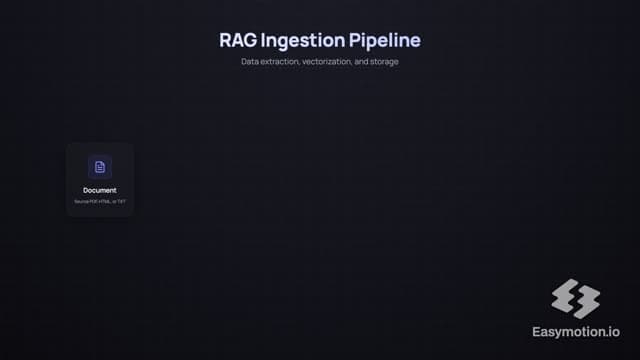
A second run kept the same overall RAG structure, supporting the reproducibility finding that EasyMotion stayed consistent across runs with only minor variation in styling and spacing.
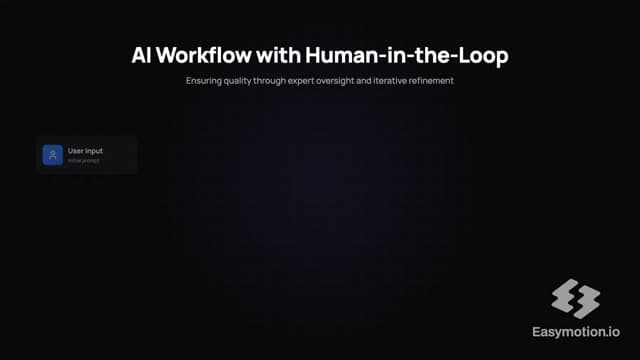
On the human-review workflow, EasyMotion showed the main actors and an approval-versus-rejection split, but the rejection path did not meet the report's standard for a reliable loop-back workflow, which is why the tool was not recommended for conditional diagrams.
Claude AI
Claude AI is the strongest logic-first option in this category. Instead of exporting a native MP4, it generates animated HTML/SVG diagrams in the browser, which made it the most capable tool for decision diamonds, loop-back arrows, and deeper conditional flows.
- Claude AI was the only tested tool that fully passed both major workflow challenges: parallel branching and conditional loop-back. It handled the RAG ingestion baseline with accurate stages, good spacing, clear structure, and explicit labels for the vector and metadata outputs. More importantly, it was the only tool that correctly rendered decision diamonds and curved return paths for retry logic, and it was also the only tool that fully passed the multi-level conditional edge case by preserving all decision layers, escalation branches, and the notification path. It generated quickly and rewarded precise prompting with more accurate diagram logic than the other tools.
- Claude AI's main weakness was export. It did not provide direct MP4 download in the tested workflow, so the animation had to be captured by screen recording. The report also found small presentation issues in the RAG output, including text that could be too small for video viewing, slightly inconsistent arrow spacing, and weaker visual distinction between metadata flow and vector flow. Reproducibility was good but not fully deterministic: layout and spacing varied slightly between runs, which matters if you need consistent production outputs.

For the RAG ingestion prompt, Claude AI produced an animated browser-based diagram with all major stages present, numbered steps, separate vector and metadata outputs, and a clear sequential reveal of nodes and connectors.
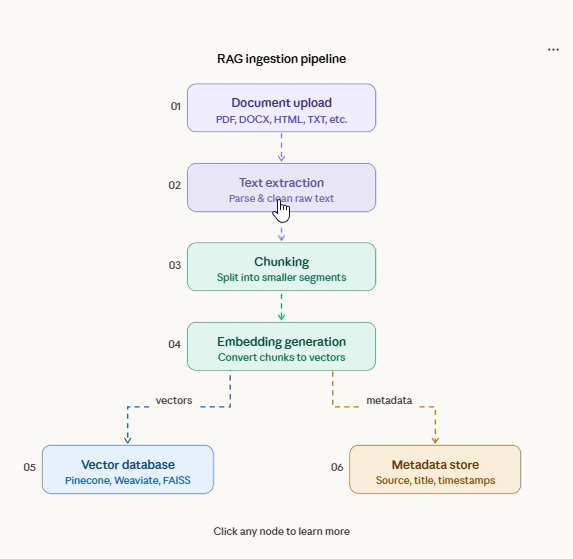
This screenshot captures Claude AI's clean HTML/SVG flowchart style, including the separate storage branches and the readable block-based structure that made the baseline workflow easy to follow.
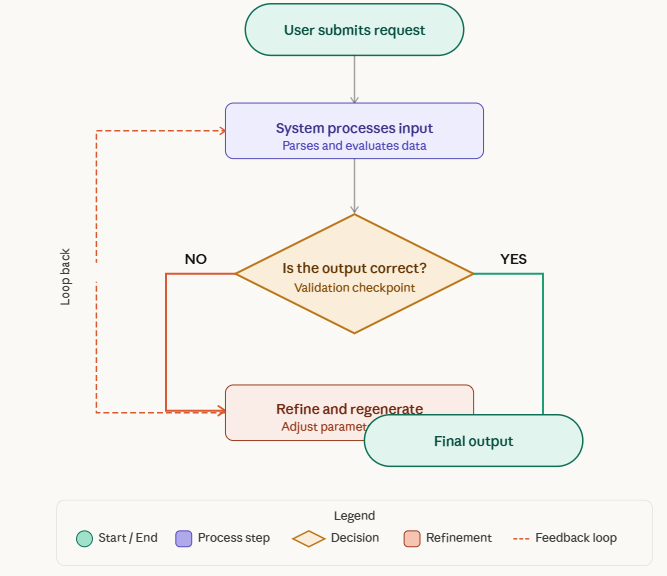
This output shows Claude AI rendering a proper decision diamond with distinct yes/no branches and a loop-back arrow, which is the key capability that separated it from the rest of the ranked tools on conditional workflows.
Vismo Studio
Vismo Studio is the most visually ambitious Manim-style option in the group. It generated rich animated diagrams with strong color coding and technical detail, but practical friction and logic failures kept it out of the top two.
- Vismo Studio delivered the highest visual fidelity in the test set. In the RAG scenario, it included all major stages, used strong color coding to separate steps, labelled the output branches as embeddings and metadata, and added extra technical details inside nodes and along arrows. Its animation style felt more like a polished Manim explainer than a lightweight auto-diagrammer, which made it especially appealing for users who care more about video quality and technical aesthetics than pure convenience.
- Vismo Studio's practical problems were significant. The free-tier workflow required credits for download, slowing access to usable output. In the RAG test, the 'Embedding Generation' label drifted outside its node, key vertical connectors lacked arrowheads, and the bottom output nodes were clipped by the frame edge. In the human-in-the-loop test, the rejection path did not return to AI processing, the feedback node was disconnected, several labels overlapped connectors, and the overall canvas used space inefficiently. The edge-case moderation workflow generated all nodes but became unreadable when later branches overlapped.
Vismo Studio's RAG output used a Manim-style animation with clearly differentiated pipeline stages, labelled branch outputs for embeddings and metadata, and a more detailed technical presentation than most other tools tested.
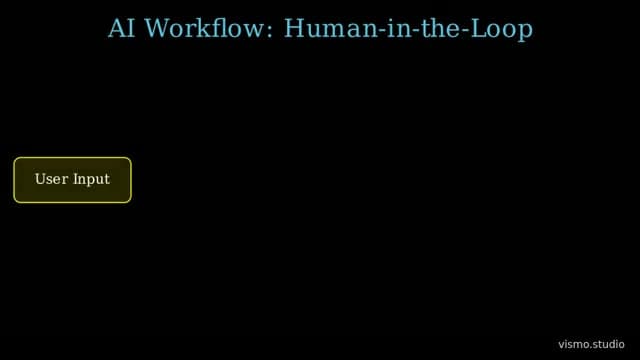
In the human-in-the-loop test, Vismo Studio laid out the main stages from user input through final output, but the rejection path did not return to AI processing, so the loop-back architecture was incomplete.
Academa AI
Academa AI is a Manim-based educational animation tool that sits in the middle of the pack: cleaner and more teaching-friendly than Kodisc, but less complete and less polished than the top three tools for this use case.
- Academa AI handled the basic shape of both core scenarios reasonably well. In the RAG ingestion test, the main flow from upload to embeddings was easy to follow, the split to separate storage outputs was visible, and the minimal styling kept the diagram approachable for training or classroom use. In the human-in-the-loop test, it correctly represented the overall logic of user input, AI generation, human review, approval, rejection, and return flow, and it used intuitive color coding to separate system roles. Among the lower-ranked tools, it came closest to a usable educational output without demanding much from the user.
- Academa AI still had several structural weaknesses. The RAG output omitted the 'RAG Ingestion Pipeline' title entirely, right-side branch outputs felt disconnected from the main flow, and the animation lacked stronger directional cues. In the human-in-the-loop scenario, the 'Feedback' label was clipped at the bottom, the return loop did not clearly show that new feedback was reaching the AI, and the layout left large unused areas while crowding key elements elsewhere. On the multi-level moderation edge case, the tool failed outright by collapsing the conditional workflow into a linear sequence and dropping the branching logic.
Academa AI produced a simple animated RAG pipeline with the main stages and a visible split to Vector Database and Metadata Store, making the baseline flow understandable even though the presentation stayed minimal.

For the human-in-the-loop workflow, Academa AI showed user input, AI generation, human review, separate approved and rejected paths, and a visible red return loop, but the return path did not clearly communicate that new feedback was being passed back to the AI.
Kodisc
Kodisc is the easiest way to get a browser-based Manim look without local setup, but it produced the weakest readable outputs in this comparison and struggled most once the workflow stopped being simple.
- Kodisc's strongest point was convenience. It ran in the browser, required no local Manim installation, and still produced a recognizably technical animation style. In the RAG baseline, the overall idea of document upload through embedding storage was understandable, major stages were separated enough to identify, and color coding helped distinguish processing nodes from storage nodes. For a user who mainly wants a quick in-browser taste of Manim-style animation, it did clear the minimum bar.
- Kodisc fell behind on readability and complex logic. The report found weak visual hierarchy, a flow that started horizontally and then shifted diagonally, cluttered chunking text, and a confusing embedding stage where decorative circles interfered with the label. Thin cyan outlines and small text on a black background also hurt accessibility. In the scenario comparison, Kodisc only partially handled the RAG branch and failed the human-in-the-loop test because the rejection loop was not represented. On the edge-case moderation workflow, it rendered some review levels but omitted the legal-review path and the notification loop-back.
Kodisc generated a Manim-style RAG animation in the browser that preserved the overall upload-to-storage concept and included a branch at the embedding stage, but the layout was less readable than the higher-ranked tools.
A second captured Kodisc output supports the report's finding that the tool could represent the baseline RAG structure but still suffered from broken flow direction, cluttered chunking visuals, and limited free-tier download access.
Final Take
EasyMotion wins overall for this use case if the priority is a fast, polished text-to-MP4 flowchart workflow: it matches Kodisc on text-to-animation accuracy, then beats it on visual clarity, animation smoothness, generation time, export usability, and ease of use. The main caveat is that EasyMotion is explicitly limited on complex loops, so it is the better all-around choice for straightforward flowcharts and quick production, not necessarily for more intricate logic. Kodisc is the better pick when the goal is no-setup Manim-style diagram animation and you can tolerate slower generation and weaker export usability; its output is still solid, but it does not lead on speed or polish. In short: EasyMotion is the overall winner for speed, polish, and export flow; Kodisc is the niche choice for a Manim-style experience with minimal setup.



Need a custom AI solution for this use case?
If you are looking to build a custom text-to-diagram animation, workflow visualization, or process diagram generation system for your business or internal workflow, email us at contact@futuresmart.ai.
Found something inaccurate or missing? We try to keep our AI research accurate and useful. If you found outdated information, an issue, or have a suggestion, email us at collaborate@aidemos.com.