Best AI Tools to Turn Academic PDFs Into Exam-Ready Revision Notes
This ranking evaluates AI tools based on their ability to convert long academic PDFs into structured, exam-ready revision materials. Using the same 36-page biology chapter across all tools, we tested real-world performance without manual edits or external workflows.
Strong for flashcards and quizzes, but limited control over structured notes.
#2 StudyFetch· #3 GPAI· #4 NoteGPT· #5 NotebookLM
The ranking
Scores are the average across every check we scored for that tool. Not every tool was scored on every check — the count is shown.
| Tool | Score | Price | Where it lands | ||
|---|---|---|---|---|---|
| #1 | YouLearn AI | Best | 4.4/5 5 checks | Free · ₹5,400/year | Strongest source-linked PDF revision workflow with standout flashcards |
| #2 | StudyFetch | Usable | 3.8/5 5 checks | Free · ~$7.99/month | Strong PDF-to-notes workflow with customization and quiz support, but limited citation transparency. |
| #3 | GPAI | Usable | 3.6/5 5 checks | Free · $11.99/month or $107.99/year | Best at source-linked exam-ready bullet summaries, but weak on editing/export workflow. |
| #4 | NoteGPT | Needs work | 3.0/5 5 checks | Free · $2.08/mo | Best at structured exam-oriented note generation, but limited by weak traceability and no editable exports. |
| #5 | NotebookLM | —/5 5 checks | — | Source-Backed Learning |
Not tested yet: NotebookLM— we haven't recorded hands-on findings for it, so it does not appear below.
What we checked
Every finding below is tied to one of these checks, and to the test that produced it. The number is how many of the 5 tools we recorded findings for.
What we tried
The same 1 test wasrun on every tool. Pick one to see its input and every tool's output.
Strongest source-linked PDF revision workflow with standout flashcards
▸Active Recall Support5/52 worked well2 findings
Excellent active recall support through 60+ editable flashcards, additional card generation, and quizzes with hints and reveal-based practice.
Quiz mode supports multiple-choice questions with hints, a 'Don't know' option, and page-jump navigation back to the relevant PDF page.
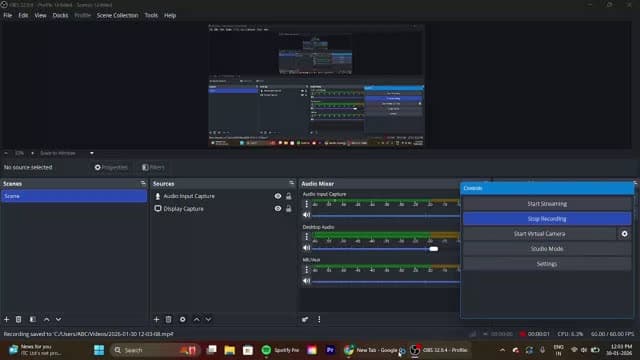
Generates 60+ editable flashcards from a 13-page PDF, with click-to-reveal answers and the ability to modify definitions or add more cards.
▸Overall Revision Workflow Support4/51 worked well1 mixed2 findings
Supports a strong end-to-end revision loop from summary to flashcards and quizzes, but is held back by paywalled depth features and missing diagram integration.
Keeps the core revision workflow usable, but advanced features such as Short Summary and Deep Dive are subscription-gated, so the free workflow is not fully complete.
Supports an eight-step revision loop from PDF upload through summary review, source validation, flashcards, MCQs, hints/page jumps, and flashcard customization.
▸Study Material Handling4/51 worked well1 finding
Handles PDF study material well with reliable upload and processing, but is mainly single-document focused rather than flexible multi-source ingestion.
Processes a single 13-page PDF into multiple structured revision outputs after upload, showing reliable basic ingestion for chapter-length study material.
▸Summary Output Quality4/52 worked well1 mixed3 findings
Produces structured, exam-friendly summaries and cheat sheets, but lacks original diagram reproduction and some summary depth is paywalled.
Renders the Detailed Summary in structured/tabular form, which the report says improves readability and memory retention compared with long paragraph blocks.
Offers three distinct summary modes—Detailed Summary, Cheat Sheet, and Short Summary (paid)—instead of only compressing the source into one plain paragraph.
▸Traceability & Transparency5/51 worked well1 finding
Outstanding source mapping with clickable summary lines, highlighted original PDF passages, and page-jump validation from quizzes.
Lets users click summary lines or source markers to open highlighted original paragraphs and verify the exact extraction source.
Strong PDF-to-notes workflow with customization and quiz support, but limited citation transparency.
▸Active Recall Support4/51 worked well1 finding
Supported active recall through AI-generated quizzes and practice prompts, though the report notes that depth depends on prompting and default volume was unclear.
Supports at least three active-recall generators: practice questions, quizzes, and additional conceptual prompts.
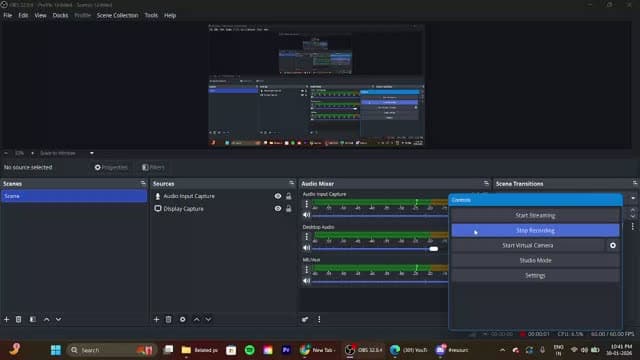
▸Overall Revision Workflow Support4/51 worked well1 finding
Covered the core revision loop well with editing, highlighting, layout customization, images, AI chat, and quiz generation, though export/deeper workflow controls were not emphasized.
Supports a seven-step revision loop: upload, choose one of three summary modes, review, customize formatting, add images, use AI chat, and generate quizzes.
▸Study Material Handling4/51 worked well1 mixed2 findings
Handled a 36-page PDF smoothly and compressed it to under 20 pages, but there was limited evidence of multi-source consolidation and some processing delay.
Can ingest a long PDF study source and condense a 36-page document into a summarized file of fewer than 20 pages, preserving core concepts while substantially shrinking length.
Shows a processing delay during upload, so PDF ingestion is not fully instantaneous even for a single-document workflow.
▸Summary Output Quality4/51 worked well1 finding
Produced clean, structured, exam-ready notes with multiple summary modes, tables, and concise formatting rather than plain paragraph compression.
Offers three summary modes—Standard Summary, Detailed Notes, and Comprehensive Mode—and the comprehensive output uses key-point tables, concise explanatory paragraphs, and structured formatting rather than flat paragraph compression.
▸Traceability & Transparency3/51 mixed1 finding
Offered contextual referencing in chat, but there was no explicit source-citation linking within the summaries.
Can tie answers to the specific section of the uploaded material, but the summaries themselves do not show explicit citation linking.
Best at source-linked exam-ready bullet summaries, but weak on editing/export workflow.
▸Active Recall Support3/52 worked well2 struggled4 findings
Offers quizzes and flashcards with hints and explanations, but the generated volume is limited and not robust for heavy revision.
Flashcard volume is limited: for a 36-page chapter, the tool generated only 15 flashcards.
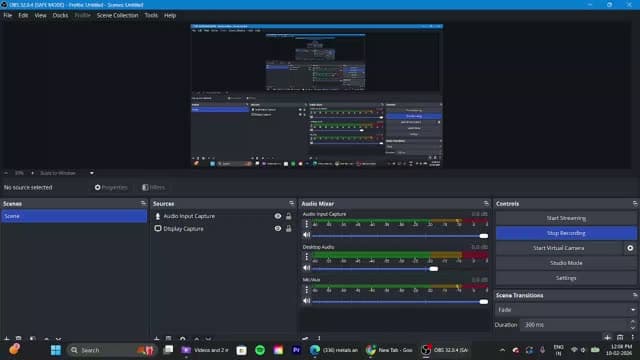
The tool generates interactive revision quizzes in multiple-choice format, with hints and post-answer explanations.
▸Overall Revision Workflow Support2/51 struggled1 failed2 findings
No editing, customization, highlighting, or export/download options, which seriously limits offline and repeat revision workflows.
Because users must revisit the platform to access generated content, the workflow is weak for repeated review and offline study use.
The platform offers no editing, add/remove, highlighting, or export/download controls for generated summaries, quizzes, or flashcards, which blocks easy customization and offline revision.
▸Study Material Handling4/51 worked well1 struggled2 findings
Supports PDF study materials and multiple uploads (up to 10), but free-tier credit limits reduce practical throughput.
The tool accepts PDF study materials and supports multiple file uploads in a single session, with the report stating a limit of up to 10 files at once.
The free version is heavily usage-limited: users get 50 credits per day, and each generation consumes about 25 credits, which constrains usage to roughly two major generations daily.
▸Summary Output Quality4/51 worked well1 struggled2 findings
Produces structured bullet-point summaries with bold headings and good coverage, though it lacks visual or tabular restructuring.
The summary output is structured for revision, using bullet-point formatting, bold topic headings, and organized explanations that cover the chapter comprehensively.
The summarizer does not recreate diagrams, tables, conceptual charts, or other visual restructuring, so the output remains text-only even when the source PDF contains visual material.
▸Traceability & Transparency5/51 worked well1 finding
Each highlighted summary section links directly to the source PDF page, enabling strong verification against the original material.
The summary provides direct source traceability by linking highlighted sections to the exact page number in the uploaded PDF, with one-click jumps back to the original page.
Best at structured exam-oriented note generation, but limited by weak traceability and no editable exports.
▸Active Recall Support3/51 worked well1 struggled2 findings
Includes quizzes and flashcards with explanations and retake support, but the flashcard count and quiz bank are relatively limited.
Can generate about 15 MCQs per chapter, with instant scoring, explanations for incorrect answers, a retake option, and a downloadable test format.
Generates only around 10 flashcards from a 36-page chapter, and the cards show the question and answer together rather than using an interactive flip-style format.
▸Overall Revision Workflow Support3/52 struggled2 findings
Supports a broad revision cycle with summaries, mind maps, outlines, quizzes, and AI chat, but lacks downloads, editing, and diagram support.
Does not provide a direct download/export option for Smart Summary or AI Notes, forcing users to revisit the platform to access generated summaries.
Does not let users edit or personalize generated notes, including adding bullets, highlighting lines, annotating, or inserting diagrams.
▸Study Material Handling4/51 worked well1 finding
Processed the full 36-page PDF successfully with drag-and-drop upload and generated outputs without needing manual splitting, though it lacks source-mapping precision.
Can ingest a full 36-page Biology chapter PDF end-to-end without manual splitting or formatting, and can generate structured outputs from the entire document.
▸Summary Output Quality4/51 worked well1 finding
Produced clean, exam-oriented Smart Summary and AI Notes formats with bullets, tables, and section-wise structure that go beyond plain compression.
Can restructure a 36-page chapter into exam-oriented notes with bullet points, tables, and section-wise segmentation; the report says AI Notes split the chapter into 4 major sections and included a conclusion section.
▸Traceability & Transparency1/51 failed1 finding
No direct source mapping or click-through navigation from summary points to the original PDF, making verification weak.
Does not provide direct source mapping, so users cannot click a summary point and jump to the corresponding section in the original PDF.
NotebookLM
#5 of 5Final Take
For turning academic PDFs into exam-ready revision notes, StudyFetch delivers the most complete and practical workflow, balancing structured summaries, editability, and revision usability. NotebookLM stands out for deep understanding and source verification, but is slightly less workflow-friendly. These rankings reflect testing as of March 2026 and will be updated as tools evolve.



Similar Tools
The tools we tested for this use case — each card opens its full tested review.
Need a custom AI solution for this use case?
If you are looking to build a custom PDF summarization, revision note generation, or study guide creation system for your business or internal workflow, email us at contact@futuresmart.ai.
Found something inaccurate or missing? We try to keep our AI research accurate and useful. If you found outdated information, an issue, or have a suggestion, email us at collaborate@aidemos.com.